
|

|
|
|
|
Program type: Freeware File size: 13383 Kb Date: 07/25/2017 Homepage Install support: Install and Uninstall OS: Win2000, WinXP, Win7 x32, Win7 x64, Windows 8, Windows 10, WinServer, WinOther, WinVista, WinVista x64 Requirements: 400 MHz Processor, 256 MB Free RAM, onboard graphics card with a screen resolution of at least 1024 Language: English, Danish, Dutch, Finnish, French, German, Italian, Norwegian, Polish, Portuguese, Russian, Spanish, Swedish | tuning or free cleaning and cheap drivers or the update, good uninstall or also performance, optimization and registry cleaning or free remove duplicates and cheap browser cleaning or the internet speed, good autorun or also windows services | Nero TuneItUp Free 2.6.0.102 [Homepage] - by: Nero AG - Download links for Nero TuneItUp Free 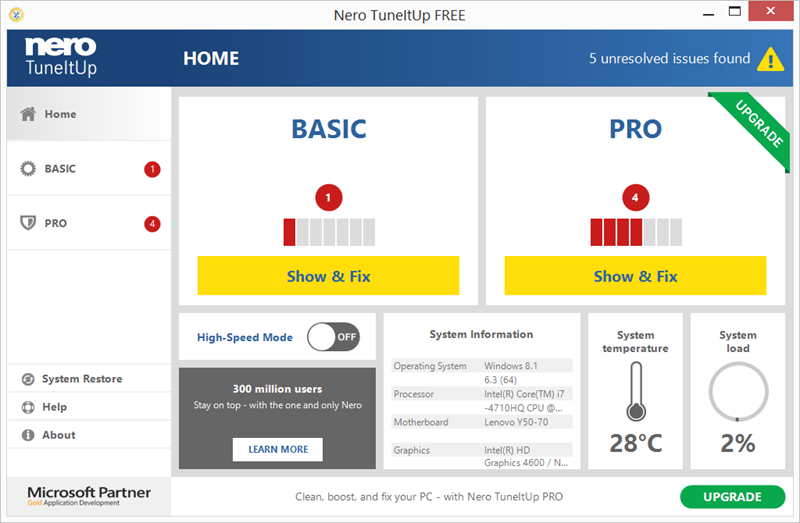 Click to enlarge Description: Nero TuneItUp is an optimization, tuning and maintenance tool for Windows PCs which helps you analyze and fix common problems, and optimize system settings. During startup Nero TuneItUp automatically analyzes all weak spots and problems in your system and lists them. The intuitive interface lets you fix problems while maintaining a clear overview. The special High Speed Mode lets programs and games run much faster. The free version lets you do the following: (1) Delete Unnecessary Files Temporary files created by programs are often not properly deleted. Completely deleting these files frees up disk space. The affected folders are displayed in the Details section and can be cleaned separately. (2) Delete Digital Footprints Browsers save various types of files in the 'Browser Cache' to make surfing faster and easier. The problem is that these files are a threat to your PC security because they often contain personal data such as usernames and passwords. Deleting these digital footprints helps to protect your privacy while surfing the Internet. This can also lead to increased browser performance and faster surfing when a large number of files is deleted during the cleaning process. In the 'Details' section you can select the files that should be deleted. (3) Clean Registry The Windows registration database, a.k.a. the 'Registry', is the central configuration file for Windows. The cleaning function removes invalid entries and increases PC stability and performance. (4) Uninstall Wizard Unused programs take up space on your hard drive and can slow down your PC. This function removes these unused programs from your PC to help increase performance. (5) Multimedia Data Manager The largest multimedia files and folders are easily located and can be deleted to free storage space. Recent changes in this Major Update: Remarks - Comments - Reviews (Add your opinion about this program) |
See also in Utilities and Hardware: Optimizers and Diagnostics
|
|


 Download:


