
|

|
|
|
|
File size: 6297 Kb Date: 04/02/2013 Homepage Install support: Install and Uninstall OS: Win7 x32, Win7 x64, WinVista, WinVista x64, WinXP Requirements: Windows XP/2003/Vista/7/2008 Language: English, French, German | backup or also backup software, automatic backup and encryption or free compress and cheap open file or the unicode, good mutibyte or also multi, compression software and synchronize or free synchronization and cheap file copy or the file backup, good backup utility or also AES 256 bit, pkzip and vista backup or free windows backup | Second Copy 8.1.2.0 [Homepage] - by: Centered Systems - Download links for Second Copy 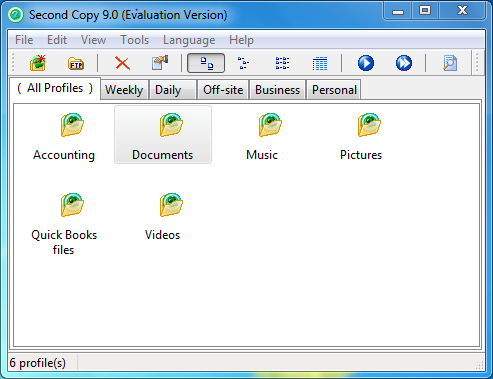 Click to enlarge Description: Second Copy copies files and folders from one location to another on the same drive, another drive or across the network. You can setup "profiles" that describe the source location, the destination location, and the frequency at which you want to copy the files. Second Copy monitors the source files for changes or additions and then automatically copies the new or changed files to their designated destination. An easy to use setup profile Wizard, makes configuration job a snap. Advanced options include PKZIP compatible compression, password protection, AES encryption, two-way directory synchronization and background thread priority control. You can also include or exclude specific file or sets of files from the copy and keep up to 25 old versions of files. Once you configure the profiles with your important file locations, the program sits as an icon in Windows "system tray" and unobtrusively copies files in the background. Copy files using FTP. Sends email notification after backup. Can be used to synchronize files between the desktop and laptop, or between two remote sites. Also useful for distributing software to several PCs on the network. Second Copy supports copying of open files using Windows Shadow Copy. It can also copy long filenames and supports unicode characters. Recent changes in this Minor Update: Remarks - Comments - Reviews (Add your opinion about this program) |
See also in Utilities and Hardware: Backup
|
|


 Download:


