
|

|
|
|
|
File size: 8094 Kb Date: 09/28/2017 Homepage Install support: Install and Uninstall OS: Win2000, WinXP, WinVista, WinVista x64, Win7 x32, Win7 x64, Windows 8, WinServer, Windows 10 Requirements: P-III 600+ CPU, 512+ Mb RAM, 10+ Mb free space on HDD Language: English, German, French, Spanish, Italian, Dutch, Norwegian, Portuguese, Russian, Ukrainian, Polish, Serbian, Japanese, Korean, ChineseSimplified, ChineseTraditional, Indonesian, Arabic | window and rollup or free unroll and cheap minimize or the roll up, good windows or also windows manager, roll and shell enhancement or free desktop enhancement and cheap windows desktop or the shell, good automatic or also manual, title button and hotkey | Actual Window Rollup 8.11.2 [Homepage] - by: Actual Tools - Download links for Actual Window Rollup 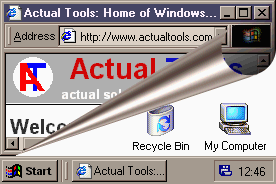 Click to enlarge Description: Actual Window Rollup fills up the functionality gap that users, familiarized with Unix/Linux/MacOS window managers, notice while managing workspace in Windows. The program allows you to roll up and down windows by clicking on the special Roll Up button added to window's title bar. This feature has proven to be a more efficient way of organizing your workspace while working with multiple windows. Now it will only take a single click or keystroke to hide a window and move to the information in the underlying window or on the desktop.Besides the default Roll Up button and ability to enable this function from the system menu of the program offer several ways of rolling up your windows automatically. It's possible to set the program to instantly roll down active and roll up inactive windows. You can also manage windows via keyboard using the Hotkey feature. Easy access to features comes along with great compatibility. It means that Actual Window Rollup recognizes and works with all kinds of windows, including the command prompt type (also known as console/CMD/DOS windows).Actual Window Rollup is a tiny utility that will set you free from a huge amount of redundant manipulations, such as searching in the taskbar, minimizing and maximizing windows. Recent changes in this Minor Update: Remarks - Comments - Reviews (Add your opinion about this program) |
See also in Utilities and Hardware: System Utilities
|
|


 Download:


