
|

|
|
|
|
Program type: Freeware File size: 2016 Kb Date: 02/29/2012 Homepage Install support: Install and Uninstall OS: WinXP, WinVista, WinVista x64, Win7 x32, Win7 x64, Win2000, Windows2000, Windows2003, WinServer, Windows Vista Ultimate, Windows Vista Ultimate x64, Windows Vista Starter, Windows Vista Home Basic, Windows Vista Home Premium, Windows Vista Business, Windows Vista Enterprise, Windows Vista Home Basic x64, Windows Vista Home Premium x64, Windows Vista Business x64, Windows Vista Enterprise x64 Requirements: Windows, Internet Explorer or Firefox or Chrome Language: English | remote destop or also remote support, remote assistance and remote pc access or free desktop sharing and cheap online collaboration or the remote desktop control, good remote control or also remote solution, remote support software and remote access or free desktop streaming and cheap help desk software | SkyFex Remote Desktop 3.4.0 [Homepage] - by: Tomsk, Inc. - Download links for SkyFex Remote Desktop 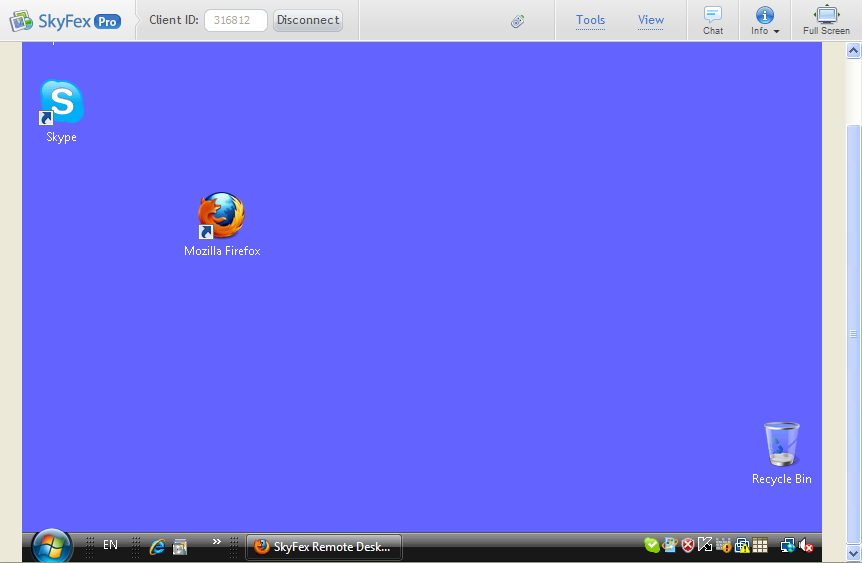 Click to enlarge Description: SkyFex Remote Desktop is a free online remote desktop service that allows watching and controlling remote computers in real time. It works transparently through firewalls, proxies and NAT. No special knowledge is required to use it. SkyFex is a secure service for remote support solutions and help desks. It works directly in web browsers (Firefox, Chrome or Internet Explorer) and does not require additional software installation and configuration. SkyFex is available as a free service, even for commercial purposes. Also, you can subscribe to SkyFex Pro to get advanced features including branding with your company logo and style, and unlimited session time. Here is a brief list of Skyfex Remote Desktop features (full feature list is available at skyfex.com): - Remote computer control via mouse and keyboard; - Support of Firefox, Chrome and Internet Explorer (including IE version 6), - Branding SkyFex GUI with your company's trade dress, - SkyFex integration into your web site, - Multiple monitors support, - Remote reboot, - Resuming broken connections, - Remote computer system information retrieval, - File transfer, - Laser Pointer and Region Selection tools for screen annotation, - Clipboard data exchange, - Integrated text chat, - Concurrent remote user logins, - Remote key combinations support, - Updates upon browser start, - Deployment via Active Directory, - Reverse screen sharing (great for online training) - etc. Required SkyFex components are downloaded automatically. Also, you can download them manually at skyfex tour/downloads.php Recent changes in this Major Update: Remarks - Comments - Reviews (Add your opinion about this program) |
See also in Utilities and Hardware: Remote computing
|
|


 Download:


