
|

|
|
|
|
File size: 37486 Kb Date: 10/21/2013 Homepage Install support: Install and Uninstall OS: WinXP, WinVista, WinVista x64, Win7 x32, Win7 x64, Win2000, Windows Vista Ultimate, Windows Vista Ultimate x64, Windows Vista Starter, Windows Vista Home Basic, Windows Vista Home Premium, Windows Vista Business, Windows Vista Enterprise, Windows Vista Home Basic x64, Windows Vista Home Premium x64, Windows Vista Business x64, Windows Vista Enterprise x64 Requirements: Microsoft® Windows XP, Windows Vista, Windows 7, Windows 8, 1 GHz or above Intel/AMD Processor Language: English, ChineseSimplified, ChineseTraditional, Dutch, French, German, Italian, Japanese, Portuguese, Spanish | avchd converter, convert avchd and avchd video converter or free avchd converter download and cheap avchd to avi or the avchd editor, good edit avchd or also avchd to mp4, avchd to wmv and avchd to mpg or free edit avchd | Leawo AVCHD Converter 5.4.0.0 [Homepage] - by: Leawo Software Co.,LTd - Download links for Leawo AVCHD Converter 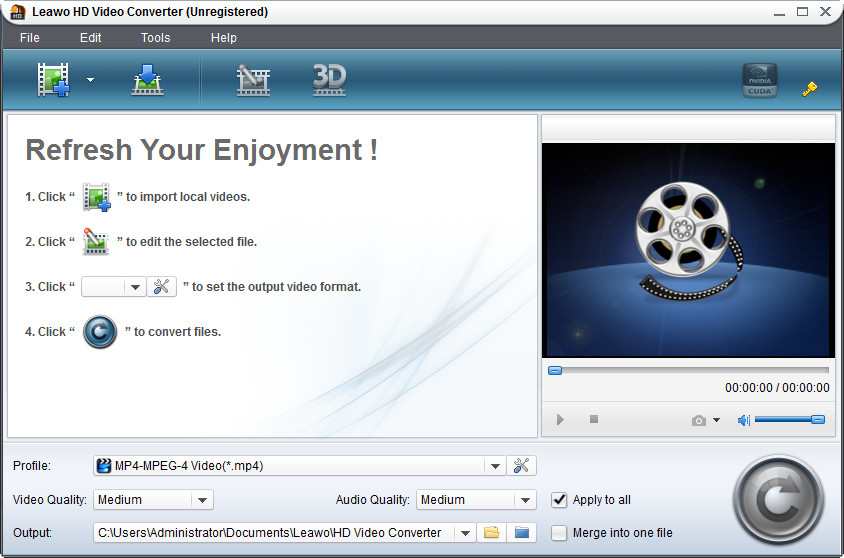 Click to enlarge Description: Leawo AVCHD Converter is a handy tool to convert common and DRM-protected AVCHD videos for greater enjoyment. This AVCHD video converter can convert AVCHD videos to popular formats, such as AVI, MPG, MOV, MP4, WMV, RMVB, FLV, etc. It accepts any AVCHD videos, H.264/MPEG4 AVC videos and JVC recorded videos for import. AVCHD to video conversion is fast with hardware acceleration in this software. This AVCHD tool also provides easy video edit features to let you cut HD video duration, modify HD video size for 4:3 or 16:9 monitor display, add image and text watermarks and change video brightness, contrast and saturation. More conversion settings are available like video bit rate, frame rate, audio channel, etc. for professional output. KEY FEATURES of Leawo AVCHD Converter: - Convert AVCHD videos to various formats: AVI, MP4, FLV, 3GP, MOV, MPG, MKV, VOB, etc. - Fast and stable in AVCHD video conversion. - Enable AVCHD to play on various portable devices: iPod, iPhone, PSP, Zune, Xbox, etc. - Tweak conversion settings: bit rate, frame rate, aspect ratio, etc. - Capture video image and save to BMP, JPG or PNG format. - Make video display better: brightness, contrast and audio volume. - Get desired length of the video. - Change video size to fit screen: 4:3, 16:9, pan & scan, etc. - Add text or image watermark. - Merge video files optionally. Recent changes in this Major Update: Remarks - Comments - Reviews (Add your opinion about this program) |
See also in Multimedia and Productivity: Video converter
|
|


 Download:


