
|

|
|
|
|
Program type: Freeware File size: 94366 Kb Date: 06/10/2020 Homepage Install support: Install and Uninstall OS: Win2000, WinXP, Win7 x32, Win7 x64, Windows 8, Windows 10, WinServer, WinOther, WinVista, WinVista x64 Requirements: * Microsoft Windows 7, Windows 8, Windows 8.1, Windows 10 * Intel Core i3 or faster * 2GB RAM Language: English, ChineseSimplified, ChineseTraditional, Dutch, French, German, Greek, Italian, Japanese, Korean, Portuguese, Spanish | ManyCam or the live streaming software, good Webcam Software or also Live Webcam, Live Chat and Streaming Camera or free Live Feed Webcam and cheap Live Broadcasting Software or the Free Webcam Effects, good Video Switcher or also Audio Effects, Draw Over Video and Virtual Webcam Driver or free screen recorder | ManyCam 7.4 [Homepage] - by: Visicom Media Inc - Download links for ManyCam 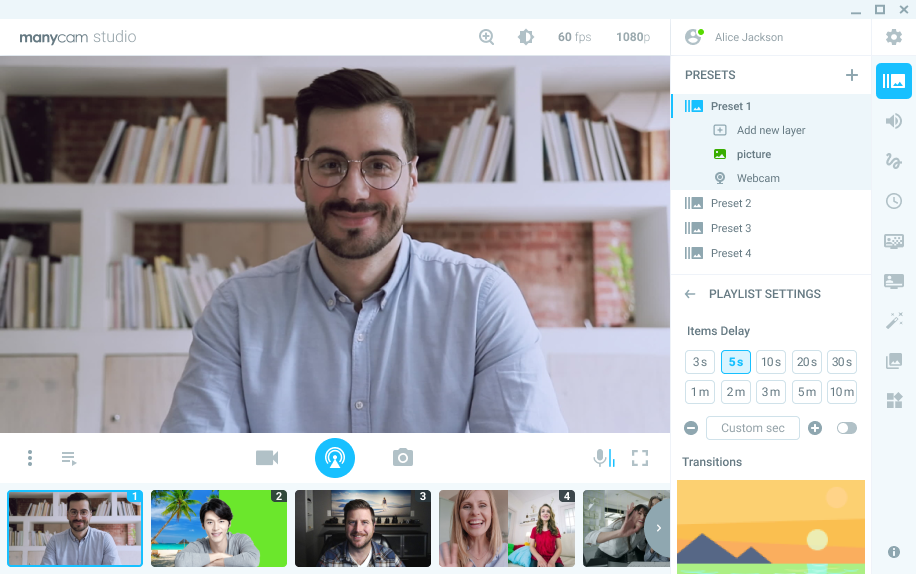 Click to enlarge Description: ManyCam is a free webcam software and video switcher that helps you produce professional quality live videos. Easy-to-use, ManyCam allows users to add multiple video sources, like webcams, pre-recorded videos, smartphones, and tablets, to live streams and video calls. With ManyCam, you can stream to multiple platforms at once, add effects, record or share your screen and much more. ManyCam's features are: *3D Masks & Effects: Drag and drop images or animated GIFs to use on video calls and resize them live. Give some flair to your broadcasts with 3D masks that wrap around your face, objects, digital props, effects and filters. *Enhanced performance & speed: Get high-quality video with up to 4k resolution with smooth, sharp and clear images. Plus, a faster software with hardware acceleration. *Picture-in-Picture & Presets: Create multiple layers, add Pic-in-Pic windows, move each layer around and preview before showing it live. *Multiple Video sources: Vary your video sources between webcams, smartphones, web sources, images, pre-recorded videos, computer screens & much more. *Screencast: During a video conference or an online class, screencast your desktop live, add graphics overlays, lower thirds, write and draw on your screen. *Record: Prepare tutorials by recording videos on your desktop while using every feature ManyCam has to offer. *Game Streaming: Live stream or record your gameplay with the Game Source. *Chroma key: Remove your background and replace it with any image or video source during your video call. *Effects Panel: Create folders, move effects and objects around, to organize them. *Modular UI: ManyCam's UI is intuitive and easy to use. It allows broadcasters to use all their favorite tools quicker by customizing their UI. Perfect for beginners and pros. *Settings: Choose the resolution, fps, and bitrate to get the best results or automate the process. Tweak the brightness, contrast, and color of your image to create amazing live video Recent changes in this New Release: Remarks - Comments - Reviews (Add your opinion about this program) |
See also in Internet and communication: Chat and IRC
|
|


 Download:


