
|

|
|
|
|
File size: 7623 Kb Date: 10/14/2019 Homepage Install support: Install and Uninstall OS: Win2000, WinXP, Win7 x32, Win7 x64, Windows 8, Windows 10, WinServer, WinOther, WinVista, WinVista x64 Requirements: No special requirements Language: English | fake webcam or the softcam, good software camera or also virtual webcam, virtualcam and video2webcam or free video to webcam and cheap webcam video or the video on webcam, good webcam chat or also yahoo messenger, msn messenger and best fake webcam or free webcam show video and cheap webcam video capture or the webcammax | Fake Webcam 7 7.0.6.853 [Homepage] - by: Web Solution Mart - Download links for Fake Webcam 7 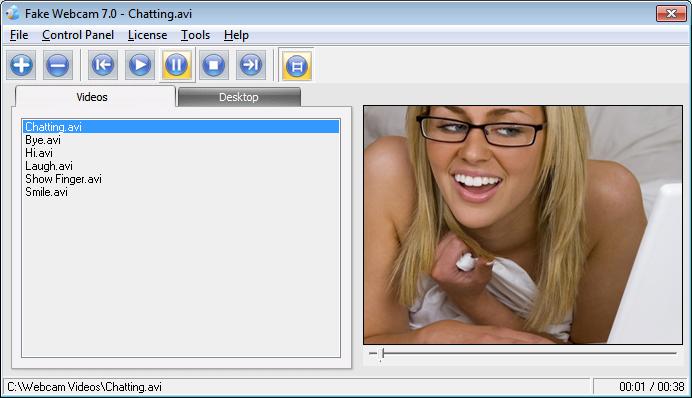 Click to enlarge Description: Fake webcam 7 installs itself as a webcam on your PC. Unlike an actual webcam which broadcasts what it sees in front of it, fake webcam broadcasts a video. You can simply use it with any application including Yahoo, Skype, Window Live/MSN, Gtalk, Camfrog, AIM. It even works with web apps like Justin.tv, iVideoChat, LiveVideo, UStream.tv etc. It virtually works with all kind of webcam applications just like an actual webcam. You can also broadcast your desktop. You can apply effects like flip, emboss, tv wall, blur, shaking, overlays, images, face detection, frames, gifs and all kinds of fun stuff. You can play all type of videos including AVI, MPEG, MPG, WMV, RM, RAM, MOV, M1V, MP2, MPA, VOB, ASF, DAT, FLV, FLV2, MP4, SWF, BMP, PNG, JPG etc. You can even use it with multiple programs simultaneously. Recent changes in this New Release: Remarks - Comments - Reviews (Add your opinion about this program) |
See also in Internet and communication: Chat and IRC
|
|


 Download:


