
|

|
|
|
|
File size: 1263 Kb Date: 02/23/2017 Homepage Install support: Install and Uninstall OS: Win2000, WinXP, Win7 x32, Win7 x64, Windows 8, Windows 10, WinServer, WinOther, WinVista, WinVista x64 Requirements: Intel® Pentium® III / AMD Athlon processor or equivalent (Intel® Pentium® 4 / AMD Athlon XP or equiv Language: English | photo editing software, photo manager and digital camera or free digital camera software and cheap acdsee or the digital photography, good photo editor or also digital imaging, picture viewer and online photo albums or free image viewer and cheap data management or the multimedia software, good DVD authoring | ACDSee Pro 10.3.675 [Homepage] - by: ACD Systems of America - Download links for ACDSee Pro 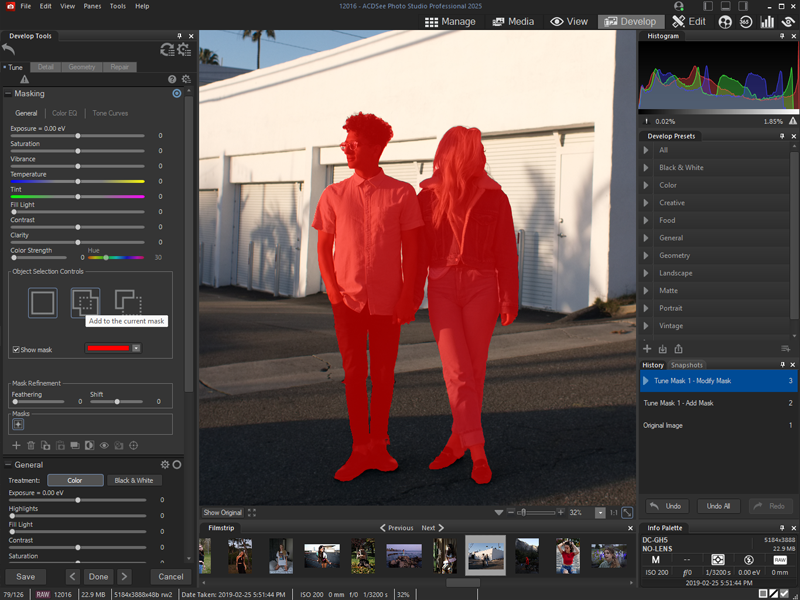 Click to enlarge Description: ACDSee Pro 10 - Loaded with everything you need to bring out the best in your images, ACDSee Pro 10 gives you effortless digital asset management and hundreds of non-destructive adjustments for the enhancement and control of your image production. Blaze through all of the essential tasks of your photography workflow with this solid, GPU-enriched member of the ACDSee family. While ACDSee Pro stands the test of time, it also continues to take on an ever-expanding list of improvements designed to get you the stunning results and ease of use you have come to expect from this trusted software. This established photo enhancement and management solution boasts an impressive array of new features facilitating parametric adjustments and filters, targeted brushing and selecting, stats at a glance, and other additions developed to get you back out where you belong behind the lens. Shrewd Brushing -Non-destructive option available It has become edge-aware! This clever brush allows you to brush on exposure, saturation, fill light, contrast, sharpness, and clarity adjustments in Develop mode, and in most tools in Edit mode, while targeting specific color and brightness ranges. Non-Destructive Special Effects As an antidote to boredom, you can now parametrically add color overlays, a number of photo effects, and map colors to shadows and highlights respectively. Fine-tune how these effects interact with the image with the opacity adjustment and two dozen available blend modes. Clear it up -Non-destructive option available Parametrically rescue photos captured through dust, smoke, vapor, or other particles while preserving details. Specify the level of detail to be saved while restoring contrast and lost color. Flawless and Radiant -Non-destructive option available Without the foundation, the concealer, or even painstaking brushing, you can non-destructively smooth away blemishes and flaws with the Skin Tune tool, which automatically aims at skin tones. Recent changes in this Major Update: Remarks - Comments - Reviews (Add your opinion about this program) |
See also in Graphic Painting and Drawing: Image Editing
|
|


 Download:


