
|

|
|
|
|
File size: 1690 Kb Date: 06/15/2015 Homepage Install support: Install and Uninstall OS: WinXP, WinVista, Win7 x32, Win7 x64, Win2000, WinME, WinNT 3.x, WinNT 4.x, Windows 8 Requirements: No special requirements Language: English | GIFanimation, good watermark or also hidden watermarks, animated GIF and gif animator or free batch graphics converter and cheap imagetools or the batch mode, good command line or also visual command line processor, mobile phone screens and animated gif editor or free animation software and cheap create gif | MakeGIF 2.4 [Homepage] - by: Image Tools Group - Download links for MakeGIF 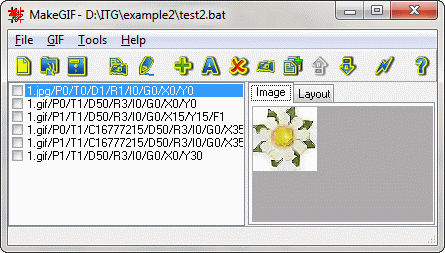 Click to enlarge Description: MakeGIF helps you to create GIF- file from command line in batch mode. This program is visual command line processor. You can use pictures created by MS Paint, Adobe Photoshop and dozens of others programs. Program features: - creates GIF- files from images in BMP, JPEG (JPG), GIF, ICO, PSD, PNG, TGA, PCX, WMF, EMF- formats; - creates "constructed images" (text, rectangle, round rectangle, ellipse); - edits, deletes and moves any image in the list of images; - rotates, flips, duplicates and stretches images; - defines animation parameters: number of loops for GIF- file and delay for each image; - defines offset, transparency, interlacing, method of removing, using of global or local palette for each separate image; - defines logical screen size in pixels; - creates output GIF-files with fixed sizes ( for example, for mobile phone screens ); - optimizes size of GIF-file; - saves specified global and frame attibutes for other animations as default; - exports GIF- frames to BMP, JPEG, PNG, TIFF, SWF and TGA- files; GIF to BMP strip; - adds hidden signatures to GIF- files to protect them from unauthorized use on the Web or in other media; - checks up presence of your signatures in GIF- files; - saves information about source graphical files and animation parameters in BAT- files; - generates HTML link. Recent changes in this Minor Update: Remarks - Comments - Reviews (Add your opinion about this program) |
See also in Graphic Painting and Drawing: Animation
|
|


 Download:


