
|

|
|
|
|
File size: 6088 Kb Date: 01/23/2018 Homepage Install support: Install and Uninstall OS: Win2000, WinXP, Win7 x32, Win7 x64, Windows 8, Windows 10, WinServer, WinOther, WinVista, WinVista x64 Requirements: Windows Language: English | EXCEL TO TALLY or free IMPORT EXCEL TO TALLY and cheap EXCEL IMPORT DATA IN TALLY | udiMagic Excel to Tally 9 [Homepage] - by: Shweta Softwares - Download links for udiMagic Excel to Tally 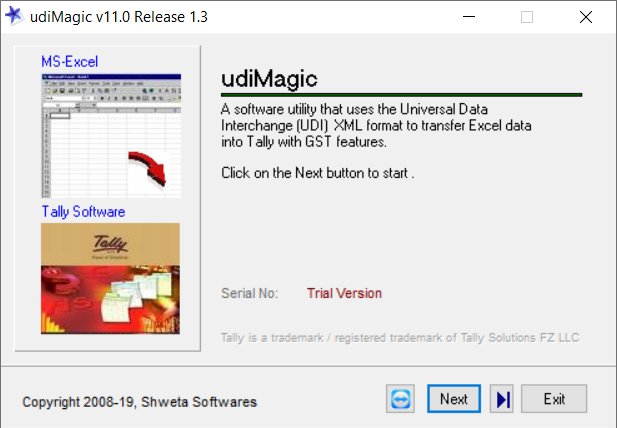 Click to enlarge Description: Shweta Softwares helps people import data from Excel to Tally using udiMagic software, a powerful data converter and Tally Import utility. A simple yet one of the most powerful tool to import data in Tally from Excel. Steps to Import data into Tally. 1. Start Tally ERP and Open a Company. 2. Start udiMagic software 3. Select the option Excel to Tally 4. Select the option Import data into Tally 5. Click the Browse button and select any Standard Excel template provided with udiMagic converter 6. Click the Start button. udiMagic Features - Import data from multiple excel sheets with one click. Import one debit / one credit vouchers entry. Import multiple debits / credits vouchers entry. Auto creates stock items from vouchers entries list. Auto creates ledgers from vouchers entries list. Import stock items with HSN / SAC / GST taxes. Import stock groups with HSN / SAC / GST taxes. Import vouchers with multiple cost categories and cost centres. Import vouchers with multiple bill-by-bill references. Import Receipt, Payment, Journal, Contra. Import Sales, Sales Order, Delivery Note Import Purchase, Purchase Order, Receipt Note Import Debit Note, Credit Note, Stock Journal, Physical Stock Journal Import Payroll Attendance Import multi-linugal data (English, Hindi, Gujarati, Marathi, Arabic etc) Import vouchers with or without creating ledgers / stock items. Recent changes in this New Release: Remarks - Comments - Reviews (Add your opinion about this program) |
See also in Business and Finance: Spreadsheets
|
|


 Download:


