
|

|
|
|
|
File size: 18432 Kb Date: 04/22/2011 Homepage Install support: Install and Uninstall OS: Mac OS X 10.5 Requirements: Mac Language: English, Dutch, French, German, Japanese, Portuguese, Spanish | iPhone ringtone maker mac, good make iphone ringtone or also mac iPhone ringtone maker, iPhone ringtone maker for mac and iphone ringtone maker or free iPhone ringtone mac and cheap ringtone maker mac or the create iphone ringtone, good iphone ringtone creator or also iPhone ringtone converter | Leawo iAm Ringer 1.4.0 [Homepage] - by: Leawo Software - Download links for Leawo iAm Ringer 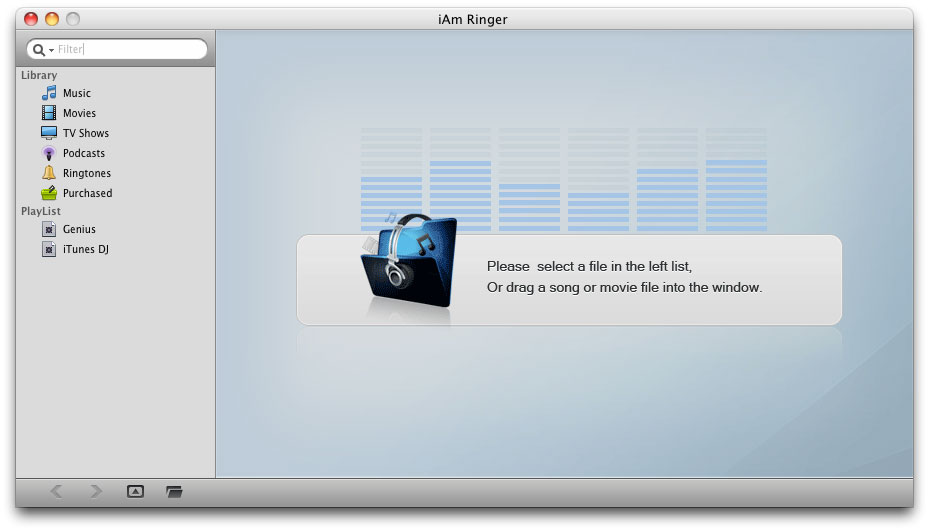 Click to enlarge Description: Leawo iAm Ringer is an all-inclusive iPhone ringtone maker specially designed for Mac users to make M4R iPhone ringtone out of almost all popular video or audio formats, such as AVI, MPEG, WMV, MP4, MP3, WMA, WAV, M4A, AAC, etc. As a practical iPhone ringtone converter, iAm Ringer is equipped with many useful features like Timeline Zoom In & Timeline Zoom Out modulation, Fade in & Fade out effect adjustment and Start Time & End Time setting, etc. You can create any iPhone ringtone with high quality out of any resources including audio, video and movie by using this iPhone ringtone maker. Key features of iAm Ringer 1.Create M4R iPhone Ringtone out of any Videos, Audios and iTunes media files It supports various video, audio formats and media files in your iTunes. 2.Smartly Set Fade in & Fade out Effect In order to get more harmonious ringtone you can set Fade in & Fade out effect in accordance with your request. 3.Enlarge or Reduce Timeline Scale By using Timeline Zoom In and Timeline Zoom Out icons you can definitely enlarge or reduce the timeline scale. 4.Precisely Trim Input File You can set values in the Start Time and End Time boxes, or adopt the Start Time and End Time icon, or directly drag the audio waveform displayed in the program. 5.Preview the Input File Easily If it is a video file you can have a preview of it which helps you have more precise trim. 6.Fast Creation Speed with Excellent Output Quality Shortly after you start to create, you can get iPhone ringtone with high quality according to your requirement. 7.Automatically Open Output Ringtone on iTunes It is rather convenient to access to the output file since iTunes will be opened automatically once the process finishes. You do not have to click repeatedly to search for the output iPhone ringtone. 8.Easy-to-use iAm Ringer Within a few clicks the whole iPhone ringtone creation process can be accomplished. No technical knowledge is required. Recent changes in this Major Update: Remarks - Comments - Reviews (Add your opinion about this program) |
See also in Audio and Music: Utilities and Plug-ins
|
|


 Download:


