
|

|
|
|
|
File size: 7690 Kb Date: 01/26/2011 Homepage Install support: Install and Uninstall OS: Win2000, Win7 x32, Win7 x64, WinOther, WinVista, WinVista x64, WinXP, Other Requirements: 800MHz Intel or AMD CPU, or above; 512MB RAM or more Language: English | iPod to Computer Transfer or also transfer music from ipod to computer, iPod Rip PC and transfer songs from iPod to computer or free iPod Transfer and cheap iPod to PC Transfer or the iPod Transfer software, good transfer ipod to pc | Aiseesoft iPod to Computer Transfer 3.3.52 [Homepage] - by: Aiseesoft Studio - Download links for Aiseesoft iPod to Computer Transfer 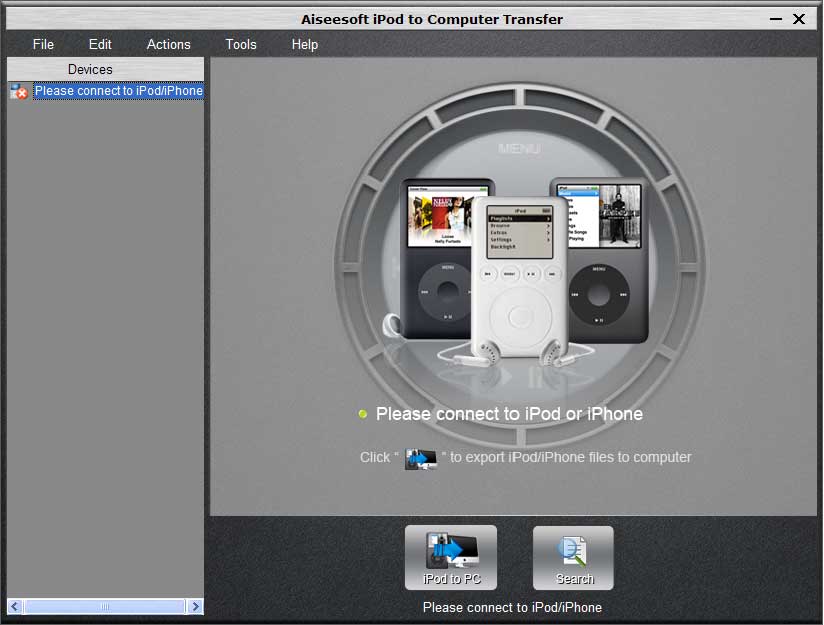 Click to enlarge Description: Aiseesoft iPod to Computer Transfer is one of best iPod mates which aims to help you export iPod video/audio/photo/ringtone files to computer for backup, and you don't need to worry about losing anything. With fast processing speed, simple operation and perfect compatibility, it enables you to easily use it without any trouble or confusion. Moreover, this iPod transfer is compatible with iPod nano 6, iPod touch 4, iPhone 4, iPad and support iTunes 10.1 and iOS 4 now after upgraded. Key Functions 1. Export iPod videos/songs/photos/ringtones to PC Aiseesoft iPod to Computer Transfer enables to output iPod videos, songs, photos and iPhone ringtone to your PC for backup. 2. Filter and quick search The "Track Filter" function can help you make your backup in a good order and find your profile easily. 3. Show you the version of your iPod player For the beginner of iPod, you can know the generation and name of your iPod from Aiseesoft iPod to Computer Transfer. And you can also know how much space has been used and how much has been left in your iPod. 4. Perfect compatibility This iPod Transfer highly supports iPod 1G, iPod 2G, iPod 3G, iPod 4G, iPod classic, iPod mini, iPod nano 1, iPod nano 2, iPod nano 3, iPod nano 4, iPod nano 5, iPod nano 6, iPod shuffle 1, iPod shuffle 2, iPod shuffle 3, iPod touch, iPod touch 2, iPod touch 3, iPod touch 4, iPod Video, iPhone, iPhone 3G, iPhone 3GS, iPhone 4, iOS 4, iPad. 5. Pleasant interface and output quality A concise and easy-to-use interface avoids you much trouble and confusion. Plus, it assures you of processing speed. Recent changes in this Major Update: Remarks - Comments - Reviews (Add your opinion about this program) |
See also in Audio and Music: Effects tools
|
|


 Download:


