
|

|
|
|
|
File size: 3716 Kb Date: 12/26/2016 Homepage Install support: Install and Uninstall OS: Win2000, WinXP, Win7 x32, Win7 x64, Windows 8, Windows 10, WinServer, WinOther, Windows2000, Windows2003, Windows Server 2012, Windows Tablet PC Edition 2005, Windows Media Center Edition 2005, WinVista, Windows Vista Starter, Windows Vista Home Basic, Windows Vista Home Premium, Windows Vista Business, Windows Vista Enterprise, Windows Vista Ultimate, WinVista x64, Windows Vista Home Basic x64, Windows Vista Home Premium x64, Windows Vista Business x64, Windows Vista Enterprise x64, Windows Vista Ultimate x64 Requirements: Win ME, 2000, XP, Vista, 7, 8, 10 Language: English | Symbol or free Character | symbol 4.0.0 [Homepage] - by: MoonDance Software - Download links for symbol 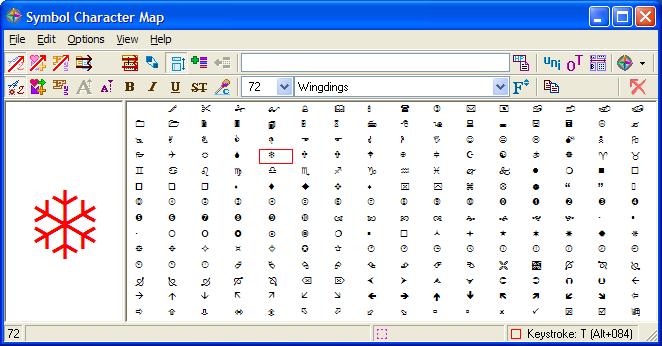 Click to enlarge Description: Symbol Character Map gives you the possibility to choose between several preset maps from a drop-down list. The content of the selected map with symbols is revealed directly in the main window. If you happen to think that the characters are displayed with a small font, you may enable the larger display for more accurate viewing options. What's more, you can click on a symbol and preview it in a dedicated panel using a large font. You may also alter the previewing mode by changing the size of the letters, modifying the font color, and enabling the bold, italic, underline, or strikethrough mode. Fast copying actions can be employed for transferring the selected symbol to your documents. You can either appeal to clipboard actions (copy/paste) or drag and drop the target symbol to the preferred window. A list with favorite symbols can be created on the fly. Other important options enable you to show all fonts, symbol fonts, or only favorite ones, print the information, close the utility upon copying symbols to the clipboard or dragging and dropping them to another document, enable Unicode support, and keep the tool on top of other panels. Symbol Character Map comes packed with several handy features for helping you make use of a multitude of symbols with ease. Recent changes in this Major Update: Remarks - Comments - Reviews (Add your opinion about this program) |
See also in Utilities and Hardware: System Utilities
|
|


 Download:


