|
|
|
||||
|
|
Want a better software to manage your Web site more quickly and efficently? Click here for more info about EasyWebEditor...
Websites and CD DVD product catalogs with a single professional tool, in a single step? Yes it is possible: HyperPublish (BELOW!) FREE DOWNLOAD LINKS FOR: Autoitlauncher 1.0 Autoitlauncher 1.0 is a keyboard shortcuts automation software. create in 3d a launcher with button icons on the desktop, select a button to write a keystroke autoit script, if that is done you can push that button with your mouse or touch device. it will direct execute the code. (native autoit script) With this power tool you can build your own - keyboard shortcuts launcher - multi clipboard launcher - application launcher. (description, more information, click here - 3d Tool to Build a keyboard shortcuts launcher to automate computer movements.) File size: 50622 Kb Free Download link 1: Click here to start the download for Autoitlauncher (then choose Save) Click here to start the download for Autoitlauncher (then choose Save)WARNING: we suggest to scan the files with an antivirus before installing them - we do our best to screen each file reviewed on GetSoftware, but we don't re-scan them each day, and so, better safe than sorry! The download link was perfectly working at the time of our review and the related inclusion in this archive, and so when we did our last test; the download is not on our servers, it is provided by the software house and sometimes can be -temporarily- offline or so. Please kindly use the contact form to report difficulties, strange behaviors or persistent problems, and quote the program name or the number 9025 . Create 3d button icons and build a launcher that can automate anything. Together with autoit scripting languages, you are able to make your own keyboard shortcuts launcher. this application can reduce repititive movements.(3d Tool to Build a keyboard shortcuts launcher to automate computer movements.)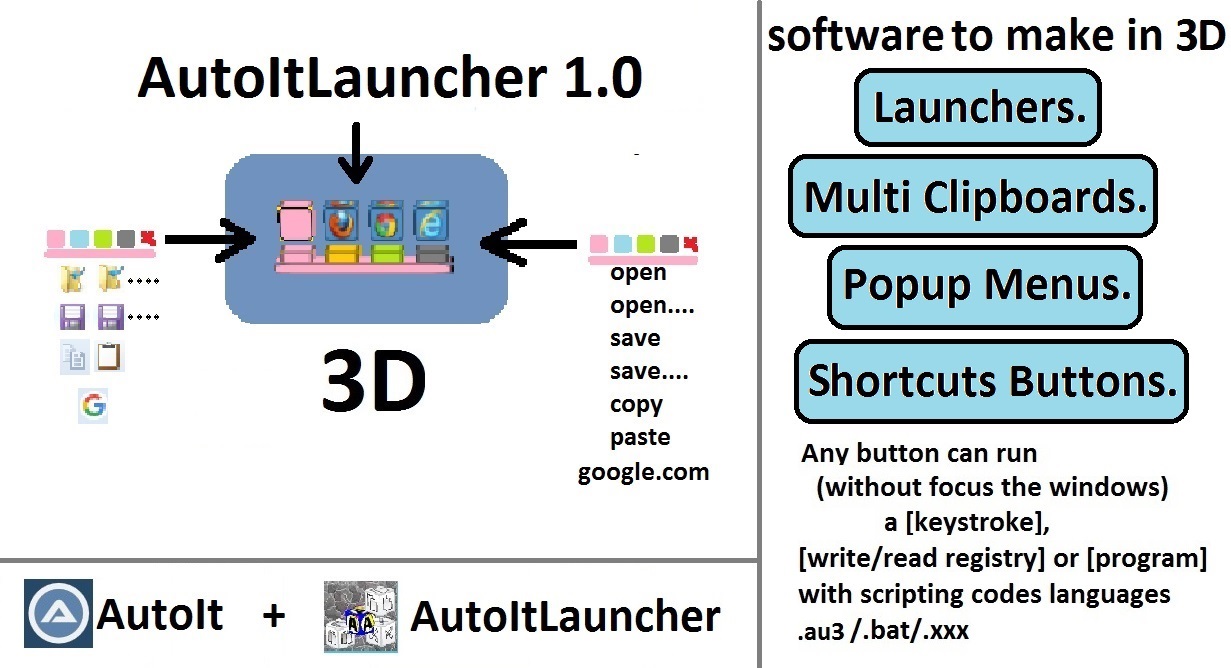 Download page for the app Autoitlauncher - With Autoitlauncher 1.0 you can build in 3d an unique automation launcher with button icons. (cart, cube, disk, cylinder, sphere) Any button icon on the launcher can direct automate repititive computer movements, it will run a advanced or simple autoit scripts that can - execute keyboard shortcuts macros combinations - write or read the windows register in one code line - manipulate or replace text for example from kbc into keyboard control - remap a whole keyboard - or run any kind of application. In the command editor from Autoitlauncher you have insert code buttons push these and it will automatic put the code example for you in the editor change it a little bit, save and restart Autoitlauncher and it is done. You ready to push the buttons with your mouse or touch device and it will direct (native) run these autoit scripts. you can also execute other languages scripts for example ms-dos .bat or .xxx autoit is the main languages and you will need first to install autoit on your system. if this is done you can use autoitlauncher 1.0 is a 5 days in any week freeware you are able to use it for free (Saturday and Monday you will need a license) this 3d tool is portable put it on disk or ram-disk and run the exe file. In the latest version you have a new update checker, examples with multi selector popup menus, multi clipboards, and for internet surfers you have buttons with this you can select text and do in one mouse button click direct a google search the computer find automatic out where it can do the search and you can also translate that text. And for gamers you have a Gaming Shoot Loop example you can use the code for any games.

|
||||
|
|


