|
|
|
||||
|
|
Want a better software to manage your Web site more quickly and efficently? Click here for more info about EasyWebEditor...
Websites and CD DVD product catalogs with a single professional tool, in a single step? Yes it is possible: HyperPublish (BELOW!) FREE DOWNLOAD LINKS FOR: RemoteNetstat 1.3.4 Remote Network Statistics displays remote network computer IP, ICMP, TCP, UDP and Server statistics, shows the details about IP datagrams including forwarding enabled-disabled state , default time to live, the number of received datagrams, datagrams with address, header, protocol errors, forwarded datagrams, incoming datagrams that have been discarded, delivered datagrams , sent datagrams, routing datagrams that have been discarded, etc. (description, more information, click here - Displays remote network computer IP, ICMP, TCP, UDP and Server statistics.) File size: 559 Kb Free Download link 1: Click here to start the download for RemoteNetstat (then choose Save) Click here to start the download for RemoteNetstat (then choose Save)Free Download link 2: http://www.nsauditor.com/freeware/downloads/RemoteNetstat.exeWARNING: we suggest to scan the files with an antivirus before installing them - we do our best to screen each file reviewed on GetSoftware, but we don't re-scan them each day, and so, better safe than sorry! The download link was perfectly working at the time of our review and the related inclusion in this archive, and so when we did our last test; the download is not on our servers, it is provided by the software house and sometimes can be -temporarily- offline or so. Please kindly use the contact form to report difficulties, strange behaviors or persistent problems, and quote the program name or the number 9136 . RemoteNetstat displays remote network computer IP, ICMP, TCP, UDP and Server statistics. You must have administrative privileges on the remote network computer. All the mentioned features are provided with a user friendly graphical interface.(Displays remote network computer IP, ICMP, TCP, UDP and Server statistics.)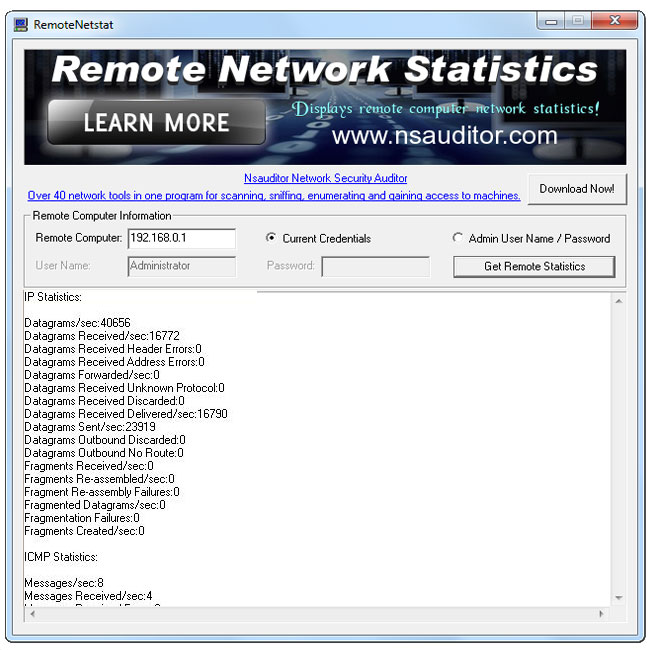 Download page for the app RemoteNetstat - Remote Network Statistics displays remote network computer IP, ICMP, TCP, UDP and Server statistics, shows the details about IP datagrams including forwarding enabled-disabled state , default time to live, the number of received datagrams, datagrams with address, header, protocol errors, forwarded datagrams, incoming datagrams that have been discarded, delivered datagrams , sent datagrams, routing datagrams that have been discarded, datagrams withought routing , interfaces , local host Ip address, TCP segments including timeout algorithm , minimum and maximum timeouts in milliseconds,the number of maximum connections , opened active and passive connections, failed connections, reset connections, currently established connections, received segments, sent segments, retransmitted segments, received errors, segments, which have been sent with reset flag, cumulative connections, details about UDP datagrams the number of received datagrams, datagrams without port, datagrams with errors, sent datagrams, listening connections, ICMP messages in incoming and outgoing states including the number of messages , errors, unreachable messages, TTL exceeded messages, messages with parameter problems, source quench messages, redirected messages, echo messages, echo replies, time stamp replies, address mask messages, address mask replies,etc. You must have administrative privileges on the remote network computer. All the mentioned features are provided with a user friendly graphical interface.

|
||||
|
|


