|
|
|
||||
|
|
Want a better software to manage your Web site more quickly and efficently? Click here for more info about EasyWebEditor...
Websites and CD DVD product catalogs with a single professional tool, in a single step? Yes it is possible: HyperPublish (BELOW!) FREE DOWNLOAD LINKS FOR: SmartCapture 3.8.2 SmartCapture is the professional, easy to use screen capture tool for Windows! The clear and intuitive user interface and powerful features make it the ideal utility for everyone who wants to capture any contents of the Windows desktop. SmartCapture supports all major file formats, image manipulations (e.g. resize, flip, rotate,and much more! (description, more information, click here - SmartCapture is the professional, easy to use screen capture tool!) File size: 1105 Kb Free Download link 1: Click here to start the download for SmartCapture (then choose Save) Click here to start the download for SmartCapture (then choose Save)WARNING: we suggest to scan the files with an antivirus before installing them - we do our best to screen each file reviewed on GetSoftware, but we don't re-scan them each day, and so, better safe than sorry! The download link was perfectly working at the time of our review and the related inclusion in this archive, and so when we did our last test; the download is not on our servers, it is provided by the software house and sometimes can be -temporarily- offline or so. Please kindly use the contact form to report difficulties, strange behaviors or persistent problems, and quote the program name or the number 2931 . SmartCapture is the professional, easy to use screen capture tool for Windows! The clear and intuitive user interface and powerful features make it the ideal utility for everyone.(SmartCapture is the professional, easy to use screen capture tool!)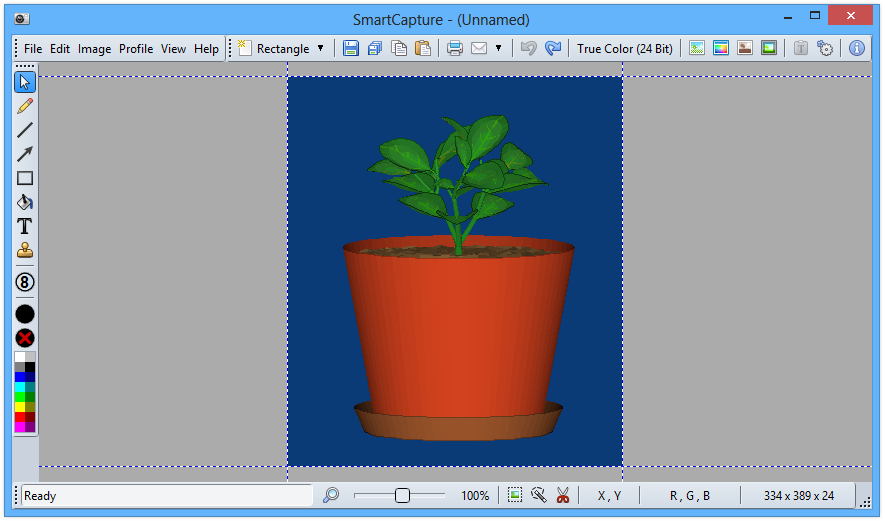 Download page for the app SmartCapture - SmartCapture is the professional, easy to use screen capture tool for Windows! The clear and intuitive user interface and powerful features make it the ideal utility for everyone who wants to capture any contents of the Windows desktop. It can capture rectangular screen areas, whole objects, windows or screens and it can acquire images from Twain compatible data sources (e.g. scanners, digital cameras, etc.) The captured images can be cropped very easily and the color depth can be changed to any desired value from monochrome to true color. Images can be printed, saved, copied to the clipboard, sent to MS Word, emailed or edited with any image editor. SmartCapture supports all major file formats, image manipulations (e.g. resize, flip, rotate, etc.) and much more!

|
||||
|
|


