
|

|
|
|
|
File size: 25804 Kb Date: 03/04/2015 Homepage Install support: Install and Uninstall OS: Win2000, Win7 x32, Win7 x64, WinOther, WinVista, WinVista x64, WinXP, Other Requirements: 1.2GHz Intel or AMD CPU, or above; 1G RAM or more. Language: English | Video Converter and convert video or free Total Video Converter and cheap best video converter or the convert video file, good convert video to AVI | 4Videosoft Video Converter Platinum 5.2.76 [Homepage] - by: 4Videosoft Studio - Download links for 4Videosoft Video Converter Platinum 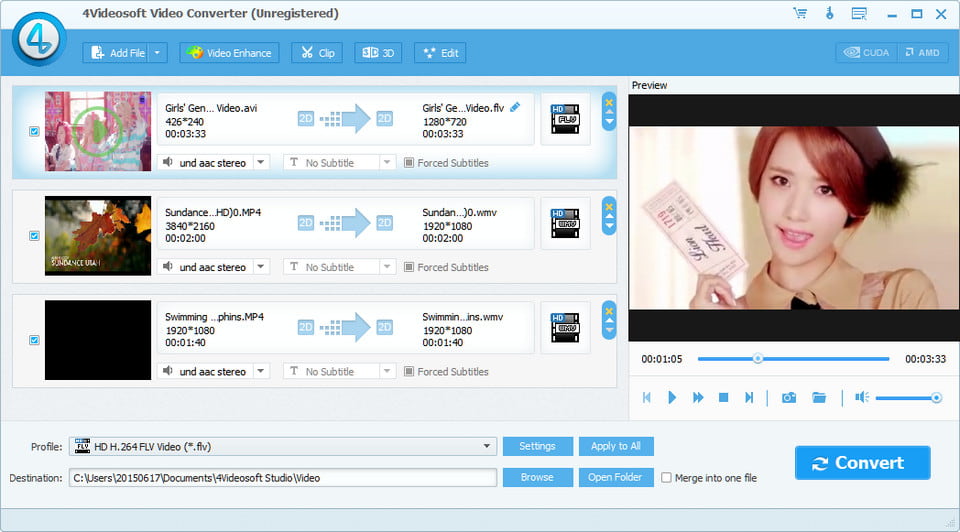 Click to enlarge Description: 4Videosoft Video Converter Platinum is able to convert general videos to 3D movies and the most popular video formats such as MP4, MOV, M4V, WMV, AVI, FLV and more. Besides, you can optimize your output video freely with remarkable editing functions like effect, crop, trim, etc. What's more, it enables you to enjoy the output videos on your portable devices, such as Samsung Galaxy Note 3, Samsung Galaxy S5, Nokia Lumia, iPhone 6/6 Plus, iPhone 5S/5C, iPad air and so on. Key features: 1. Convert general videos to 3D movies 4Videosoft Video Converter Platinum is professional software to convert general videos like MP4, MOV, M4V, AVI, FLV, etc. to 3D movies freely. It enables you to finish your conversion within several clicks. You can enjoy your output videos on your 3D TV and other devices which can play the 3D movies. 2. Convert general videos to other videos The program is able to convert your videos such as MKV, MTS, TS, FLV, WMV, etc. to your favorite video formats as you like. Besides, you can also extract audios from video files and convert them to your needed audio formats like MP3, AAC, AIFF, ALAC, M4A, WAV, etc. You are able to play them on your iPhone 6/6 Plus, iPhone 5S/5C, iPhone 5, iPad air, iPod touch, Samsung Galaxy S5, HTC one, BlackBerry and Nokia Lumia and more. 3. Splendid editing functions for you 4Videosoft Video Converter gives you popular editing functions to optimize your videos. This powerful software provides you with stunning 3D effect, and you are able to set anaglyph and split screen. You can also edit the output video with versatile common editing functions. You can modify the video effect by adjusting brightness, contrast, saturation, hue and volume. It gives you clip, crop, trim functions to reset the video size as you like. You can also add personalized watermark to the output videos. Recent changes in this Major Update: Remarks - Comments - Reviews (Add your opinion about this program) |
See also in Multimedia and Productivity: Video converter
|
|


 Download:


