
|

|
|
|
|
Program type: Freeware File size: 125 Kb Date: 07/14/2006 Homepage Install support: Install and Uninstall OS: WinXP, Windows2003, WinVista, WinVista x64, WinServer, Win7 x32, Win7 x64 Requirements: Works on Windows Vista 2000/XP/2003/2008 and Windows 7 Language: English | conferencing, desktop sharing and screen sharing or free application sharing and cheap online meetings or the web demos, good remote support or also online training, web collaboration and screen presentation or free screen projection and cheap share screen | ScreenStream 1.05 [Homepage] - by: NCH Software - Download links for ScreenStream 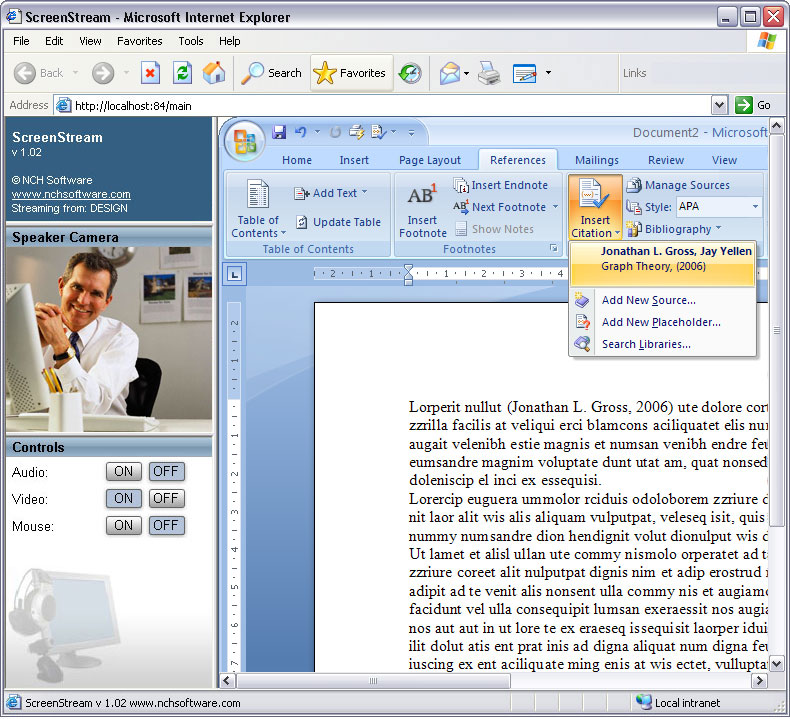 Click to enlarge Description: ScreenStream lets others 'watch' your screen while you work. It can be used as the modern equivalent of the overhead projector. When you run this program on your computer anyone else on your network (or even the internet) can view what is on your screen by typing the link (and optional access code) into their internet browser. They can continue to watch your screen until you close the program. Typical Applications: ~ In boardroom presentation (if everyone has a laptop it will replace the projector). ~ In lectures where people take their laptops. ~ In the computer lab or classroom where students are sitting in front of computers. ~ To assist remote computer support so the helpdesk staff can see what the user is doing or visa versa. ~ For profiling and analysis of software usage patterns (for example for software development research). Features: ~ Runs in the background and captures your screen while in any other program ~ The image can be viewed by anyone with using an ordinary web browser (from any type of computer). ~ The screen can be viewed by users with Windows, Mac or Linux computers. ~ Optional access code can be set to secure the connection. ~ The number of viewers is almost unlimited (the only limit is the size of your bandwidth). ~ Installs and runs in just minutes. ~ Very simple user interface. Recent changes in this Minor Update: Remarks - Comments - Reviews (Add your opinion about this program) |
See also in Multimedia and Productivity: Presentation tools
|
|


 Download:


