
|

|
|
|
|
File size: 2582 Kb Date: 07/22/2017 Homepage Install support: Install and Uninstall OS: WinXP, WinVista, Win7 x32, Win7 x64, Windows2000, Win98, WinME, WinNT 3.x, WinNT 4.x, Win95, Windows 10, Windows 8 Requirements: No special requirements Language: English | banner or also banners, banner creator and running text or free animated banner and cheap animated texts or the create banner, good text effects or also banner maker, web header and advertising or free banner software and cheap banner examples or the make banner, good animation effects or also animation | Easy Banner Creator 3.2 [Homepage] - by: Image Tools Group - Download links for Easy Banner Creator 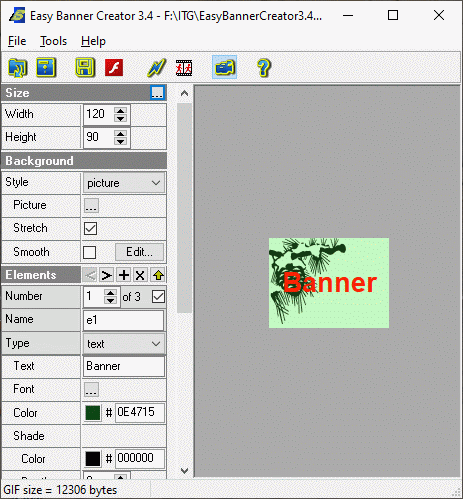 Click to enlarge Description: Easy Banner Creator is an easy-to-use tool for creation of animated or static banners in seconds without graphic skills. Your own banners will make your website successful and will attract new visitors. Program features: - creates animated and static banners with standard or any sizes <bannersize.htm>; - defines style of background fill: Color, Gradient, Picture, Hatch <background.htm>; - suports most popular image formats: BMP, JPEG (JPG), GIF, PNG, PCX, PSD, TGA, ICO and Windows Metafiles; - adds, deletes, swaps banner elements: texts and images (including animated GIFs); - builds animation on the base of running multiple elements and text effects (color change, size change, fade and teletype) or image effects (fade and size); - defines text (multi-line text) by parameters: color, font, size, shade color and depth; - defines image parameters: size and transparency; - sets position of animation or static element; - uses image collections; - defines animation parameters for each running element: direction, time interval (start and stop values from 0% to 100%); - defines animation parameters for created banner: count of frames, delay; - optimizes size of created GIF- file and displayes its size in Status Bar <statusbar.htm>; - exports created banners to GIF- files; - exports created banners to Flash- files; - contains timeline dialog for animation elements; - saves images of GIF- file as a set of JPEG or PNG- files; - saves animation scripts in EBC- files. Recent changes in this Minor Update: Remarks - Comments - Reviews (Add your opinion about this program) |
See also in Graphic Painting and Drawing: Animation
|
|


 Download:


