
|

|
|
|
|
Program type: Freeware File size: 3606 Kb Date: 07/31/2013 Homepage Install support: Install and Uninstall OS: Win2000, Win7 x32, Win7 x64, Win98, WinServer, WinVista, WinVista x64, WinXP Requirements: 1GHz Intel/AMD processor or above; 128MB RAM; Minimum 50 MB Space Language: English | finalbooster or also windows 7 usb install tool, windows 8 usb install tool and installing windows 7 usb or free installing windows 8 usb | Finalbooster 1.0 [Homepage] - by: Asunsoft - Download links for Finalbooster 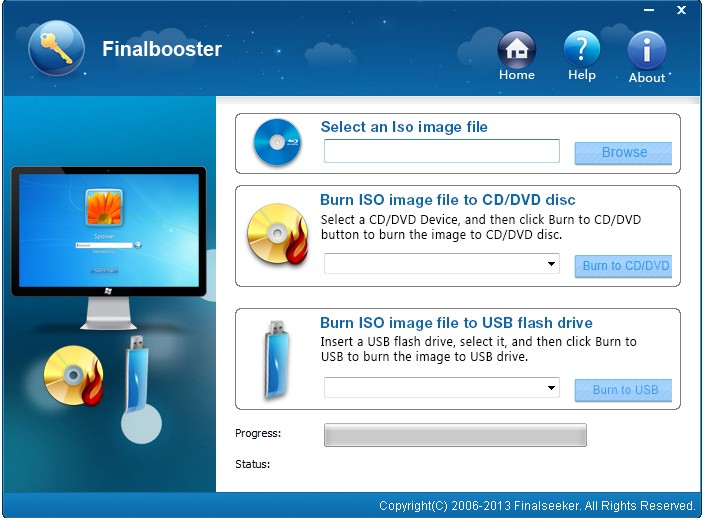 Click to enlarge Description: You can use Finalboost to create a Windows 7 or Windows 8 USB installation disk, and then you can boot your computer from the USB disk to install windows. Steps as follow:Before creating a Windows USB installation disk, you need: Finalboost, and a Windows 7 or Windows 8 ISO image file.Step 1: Download and install finalbooster.Step 2: Start Finalbooster and use it to create a Windows usb installation disk.Step 3: Set your computer to boot from USB drive and boot your computer from Windows usb installation disk.Step 4: Follow the windows installation guide to install windows on your computer step by step.Learn more Finalboost information: asunsoft finalbooster.html Recent changes in this New Release: Remarks - Comments - Reviews (Add your opinion about this program) |
See also in Utilities and Hardware: System Utilities
|
|


 Download:


