|
|
|
||||
|
|
Want a better software to manage your Web site more quickly and efficently? Click here for more info about EasyWebEditor...
Websites and CD DVD product catalogs with a single professional tool, in a single step? Yes it is possible: HyperPublish (BELOW!) FREE DOWNLOAD LINKS FOR: NotePro 4.5 If you need to create or edit text files but don't need the complexity of expensive word-processors, check out NotePro. It is easy-to-use, and provides plenty of features. In a fairly small package it incorporates nearly all of the most-used features of a word-processor without having to learn how to use one; in fact, if you use a word-processor frequently, you might find yourself using NotePro instead for many documents. (description, more information, click here - Highly capable text editor and word processor.) File size: 11254 Kb Free Download link 1: Click here to start the download for NotePro (then choose Save) Click here to start the download for NotePro (then choose Save)Free Download link 2: http://www.crystaloffice.com/notepro.exeWARNING: we suggest to scan the files with an antivirus before installing them - we do our best to screen each file reviewed on GetSoftware, but we don't re-scan them each day, and so, better safe than sorry! The download link was perfectly working at the time of our review and the related inclusion in this archive, and so when we did our last test; the download is not on our servers, it is provided by the software house and sometimes can be -temporarily- offline or so. Please kindly use the contact form to report difficulties, strange behaviors or persistent problems, and quote the program name or the number 8204 . If you need to create or edit text files and want something with more options than the default Notepad or WordPad programs that come with Windows but don't need the complexity of a full-fledged word-processor, check out NotePro.(Highly capable text editor and word processor.)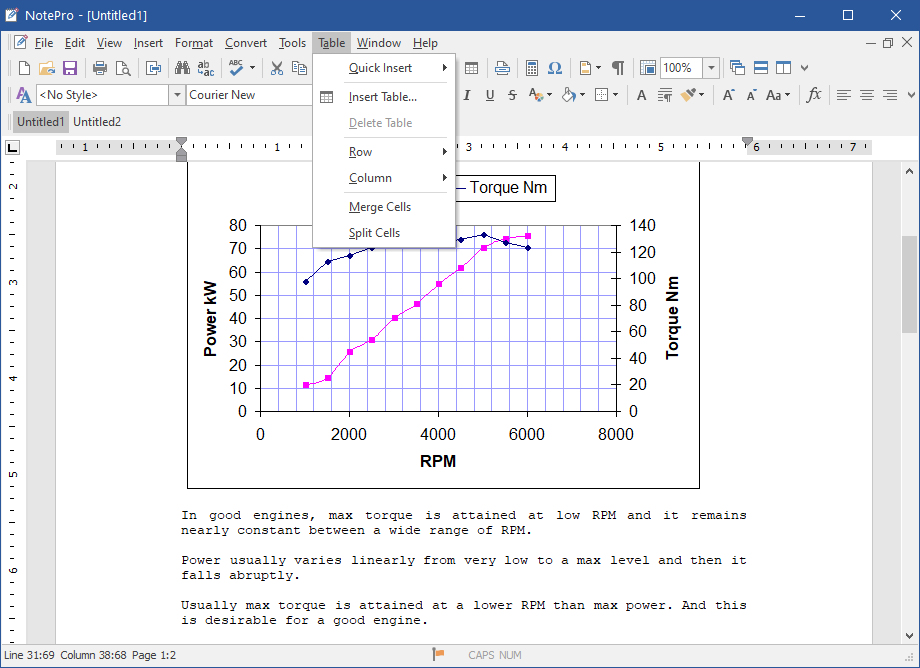 Download page for the app NotePro - If you need to create or edit text files and want something with more options than the default Notepad and WordPad programs that come with Windows but don't need the complexity of expensive word-processors, check out NotePro. Although it has many powerful features typically found in a word-processor, it's very simple to use.
NotePro has a clean, attractive interface that puts nearly all the options you'll need right on the well-designed button bar. NotePro handles standard text files, and also creates and saves Rich Text Format, Word doc and docx, Adobe PDF, Windows Write, and HTML files used by Microsoft Word and other word-processors. You can have multiple documents open at one time. Other options include complete control over text appearance. Use any font installed on your system, control the font size and attributes, and also use colored text, including background fills. Onscreen you can quickly increase or decrease text size, add super- or subscript text, and change the text alignment (flush left, centered, or flush right). You can also quickly create numbered or bulleted lists, insert pictures and bookmarks. Like a word-processor, NotePro lets you create custom styles for your text - define a font, face, attributes, color, alignment, etc. - that lets you easily apply a style to specific text. NotePro also has a built-in spelling checker, and lets you import text from existing files. NotePro also let you embed or link to objects and images. Other features include changing the case of text to all upper or lower, calculator, and character map, font preview in the font selection window so you get a quick peek at what a font looks like, and print preview. NotePro is easy-to-use, and provides plenty of features. In a fairly small package it incorporates nearly all of the most-used features of a word-processor without having to learn how to use one; in fact, if you use a word-processor frequently, you might find yourself using it instead for many documents. 
|
||||
|
|


