|
|
|
||||
|
|
Want a better software to manage your Web site more quickly and efficently? Click here for more info about EasyWebEditor...
Websites and CD DVD product catalogs with a single professional tool, in a single step? Yes it is possible: HyperPublish (BELOW!) FREE DOWNLOAD LINKS FOR: Miraplacid Publisher 9.0 Miraplacid Publisher converts any printable documents to images. Miraplacid Publisher supports following output formats: PDF, JPEG, TIFF, BMP, PNG, TGA, GIF. Scale the image as you need, adgust colors and gamma, set output format and compression ratio, get rid of unused white borders. Save to file, upload to FTP or HTTP server, email or print to a real printer. Multi-page images suppor. Free SDK. (description, more information, click here - convert document pages to images and save to file, upload to server, or email) File size: 10661 Kb Free Download link 1: Click here to start the download for Miraplacid Publisher (then choose Save) Click here to start the download for Miraplacid Publisher (then choose Save)WARNING: we suggest to scan the files with an antivirus before installing them - we do our best to screen each file reviewed on GetSoftware, but we don't re-scan them each day, and so, better safe than sorry! The download link was perfectly working at the time of our review and the related inclusion in this archive, and so when we did our last test; the download is not on our servers, it is provided by the software house and sometimes can be -temporarily- offline or so. Please kindly use the contact form to report difficulties, strange behaviors or persistent problems, and quote the program name or the number 10616 . Miraplacid Publisher converts any printable documents to images (TIFF, JPEG, TGA, BMP, PNG, GIF). All the documents printed to this "printer" will be converted to images, saved, emailed, uploaded to server, or redirected to a printer. Free SDK.(convert document pages to images and save to file, upload to server, or email)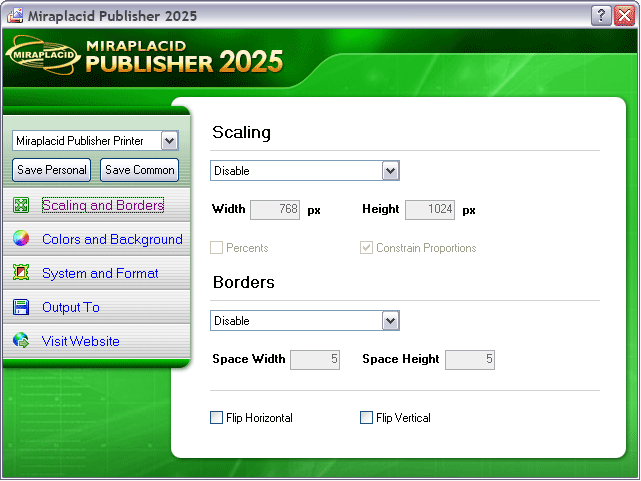 Download page for the app Miraplacid Publisher - With Miraplacid Publisher software you can convert (print) any document to a set of images. Anyone can open your document across a broad range of hardware and software, and it will look exactly as you intended - with layout, fonts, and images intact. No one can modify or copy and paste your texts.
After installation on your PC, Miraplacid Publisher appears as a new virtual printer in your system. All the documents you print to this "printer" will be opened in a preview dialog. You scale the image, adjust hue, saturation and value, get rid of unused white borders, and do some other image processing. Then you can save results images to disk, email, upload to FTP or HTTP server,or print them to a real printer. Miraplacid Publisher supports following output formats: PDF, JPEG, GIF, TIFF, BMP, PNG and TGA. When redirecting to a printer, reduce saturation to save color cartridge or increase value to save black ink. Use borders detector in manual mode to set printing area when you need to print only the document part you need. Miraplacid Publisher adds icon to desktop. All the documents you drag and drop to this icon will be printed behind the scenes and processed by Miraplacid Publihser. Turn "Auto Send" on if you want Miraplacid Publisher to send images to chosen destinations without waiting for your input. If you want every document to be saved to an individual file, add {{DATE}}, {{TIME}}, {{IDENTITY}}, {{PAGE}} or {{JOB}} to the file name or path. They will be replaced with current date, time, some unique number, page number and print job id respectively. Miraplacid Publisher is integration-ready software. All the settings can be easily managed from your software or script. 
|
||||
|
|


