|
|
|
||||
|
|
Want a better software to manage your Web site more quickly and efficently? Click here for more info about EasyWebEditor...
Websites and CD DVD product catalogs with a single professional tool, in a single step? Yes it is possible: HyperPublish (BELOW!) FREE DOWNLOAD LINKS FOR: ABC Backup 5.50 This backup program allows you to copy upload, download data automatically on schedule from your PC to various storages - network disks, remote FTP servers, etc. The program can either mirror your data "as is" or create archived files for copying. The user can customize the method of naming backup files adding, for example, the date of archiving to file names. The program uses the zip algorithm to archive data. It is fully gzip compatible. (description, more information, click here - Make backups as easy as A-B-C !) File size: 960 Kb Free Download link 1: Click here to start the download for ABC Backup (then choose Save) Click here to start the download for ABC Backup (then choose Save)Free Download link 2: http://www.abc-backup.com/DEMO/abcbackupsetup.exeWARNING: we suggest to scan the files with an antivirus before installing them - we do our best to screen each file reviewed on GetSoftware, but we don't re-scan them each day, and so, better safe than sorry! The download link was perfectly working at the time of our review and the related inclusion in this archive, and so when we did our last test; the download is not on our servers, it is provided by the software house and sometimes can be -temporarily- offline or so. Please kindly use the contact form to report difficulties, strange behaviors or persistent problems, and quote the program name or the number 9643 . This backup program allows you to copy, upload, download data automatically on schedule from your PC to various storages - network disks, remote FTP servers, etc. The program can either mirror your data "as is" or create archived files for copying(Make backups as easy as A-B-C !)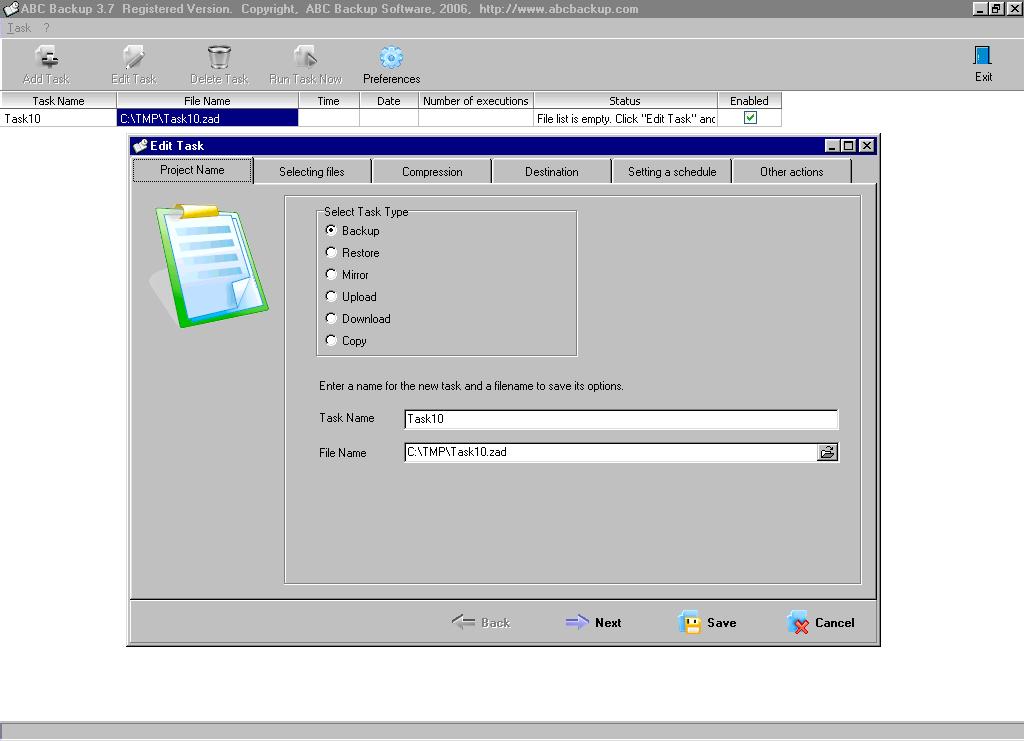 Download page for the app ABC Backup - This backup program allows you to copy upload, download data automatically on schedule from your PC to various storages - network disks, remote FTP servers, etc. The program can either mirror your data "as is" or create archived files or directories for copying. The user can customize the method of naming backup files adding, for example, the date of archiving to file names. The program uses the zip algorithm to archive data. It is fully gzip compatible (which is important for GNU utilities users and in cross-platform environments.) A built-in task scheduler helps you to build a queue of automated backups, or run third-party utilities to process the data before or after copying/archiving. A-B-C Backup software has no limitations on the number of scheduled tasks.

|
||||
|
|


