|
|
|
||||
|
|
Want a better software to manage your Web site more quickly and efficently? Click here for more info about EasyWebEditor...
Websites and CD DVD product catalogs with a single professional tool, in a single step? Yes it is possible: HyperPublish (BELOW!) FREE DOWNLOAD LINKS FOR: ECTcamera 2.35.8 ECTcamera (EyeComTec-Camera) is a video capture program to work with a webcam or an external device connected to the computer. It allows you to scale the displayed image, save partial or full screen screenshots or videos. Supports "hot keys", saving all the settings in the configuration files, switching quickly between them and can be launched from the command line. Does not require installation (description, more information, click here - Simple, flexible, portable and freeware camera application.) File size: 2067 Kb Free Download link 1: Click here to start the download for ECTcamera (then choose Save) Click here to start the download for ECTcamera (then choose Save)Free Download link 2: https://eyecomtec.com/ECTcamera.zipWARNING: we suggest to scan the files with an antivirus before installing them - we do our best to screen each file reviewed on GetSoftware, but we don't re-scan them each day, and so, better safe than sorry! The download link was perfectly working at the time of our review and the related inclusion in this archive, and so when we did our last test; the download is not on our servers, it is provided by the software house and sometimes can be -temporarily- offline or so. Please kindly use the contact form to report difficulties, strange behaviors or persistent problems, and quote the program name or the number 6042 . ECTcamera by EyeComTec is a freeware portable program to manage a webcam or an external camera. It allows to scale and position video, make screenshots with flexible intervals, export and import settings. Free for private non-commercial use.(Simple, flexible, portable and freeware camera application.)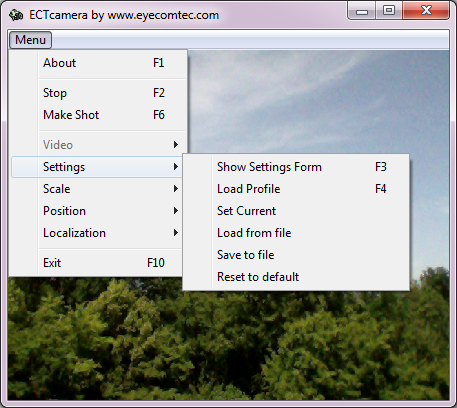 Download page for the app ECTcamera - ECTcamera (EyeComTec Camera) is a convenient software solution created to work with any web camera or any other video-capturing device connected to a PC or a laptop. ECTcamera has a really convenient and simple user interface and allows the user to scale the visible image area, save screenshots of the whole screen or its parts, and supports a wide range of devices, providing automatic identification of connected hardware. It supports various working resolutions of web cameras and many other settings.
The program is portable, light, and doesnt require installation or registry modification, allowing the user to launch it from any external data storage device. It also allows working with so-called hotkeys. ECTcamera is a fully customizable application, thus the user can zoom the image in or out, change the shift step, as well as the size and position of the main window of the program and the compression ratio of saved screenshots. The flexibility of ECTcamera makes it possible to use any third-party video stream processing solution. ECTcamera supports working with the command prompt and additional parameters, making it possible to use various scheduling and time-management programs to launch applications according to a schedule. Due to this fact, the program can reduce RAM usage, which permits using ECTcamera even on budget laptops. Furthermore, the application supports an unlimited amount of configuration files, switching between various ECTcamera settings really quickly, which can be handy for working with various video-capturing devices or for operation on different computers. This program is really easy to use, and provides fast configuration and intuitive controls. Initial configuration of ECTcamera takes less than a minute, while switching between various configuration files (which contain different video output parameters, windows layout, shift step, etc.) in a couple of seconds. 
|
||||
|
|


