|
|
|
||||
|
|
Want a better software to manage your Web site more quickly and efficently? Click here for more info about EasyWebEditor...
Websites and CD DVD product catalogs with a single professional tool, in a single step? Yes it is possible: HyperPublish (BELOW!) FREE DOWNLOAD LINKS FOR: Copernic Desktop Search 7.2.0 Copernic Desktop Search creates a unique map of keywords that allows you to search Windows using a powerful index. You can search any documents on your computer, external and network drives using the full version. Start now and increase your search speed and your organization's productivity while reducing the time lost trying to find those documents. Join the largest Windows Desktop Search users with 4,000,000+ users. (description, more information, click here - Replace Windows Desktop Search to instantly find your emails, files & docs) File size: 183758 Kb Free Download link 1: Click here to start the download for Copernic Desktop Search (then choose Save) Click here to start the download for Copernic Desktop Search (then choose Save)Free Download link 2: https://goo.gl/GrrjkSWARNING: we suggest to scan the files with an antivirus before installing them - we do our best to screen each file reviewed on GetSoftware, but we don't re-scan them each day, and so, better safe than sorry! The download link was perfectly working at the time of our review and the related inclusion in this archive, and so when we did our last test; the download is not on our servers, it is provided by the software house and sometimes can be -temporarily- offline or so. Please kindly use the contact form to report difficulties, strange behaviors or persistent problems, and quote the program name or the number 8867 . Smart Windows Desktop Search engine for your computer provided by Copernic. Copernic Desktop Search is the best alternative to Windows Search as it allows you to centralize your document, file & email searches in one unique interface.(Replace Windows Desktop Search to instantly find your emails, files & docs)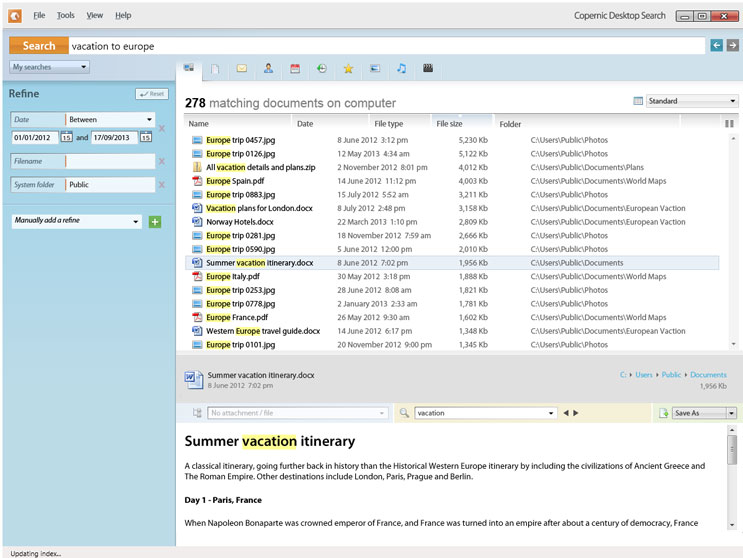 Download page for the app Copernic Desktop Search - Why invest in a Windows Desktop Search tool?
According to International Data Corporation, their survey reveals that information worker, you, spend most of their time performing document-related activity. Here are some interesting facts on how workers spend their time: 5 hours/week searching for documents. 2.3 hours/week searching for, but not finding documents. That's at least 2.3 hours of hours wasted per week for having not the appropriate tools. According to their studies, time wasted in document creation and management activities costs the organization $ 9,071 per information worker per week. That's a lot in a year when you can install a tool, such as Copernic Desktop Search, for the price of $ 49.95 USD per license. Highly recommended CDS has become the world's #1 Windows desktop search tool for PCs. For the past 10 years, companies have switched to Copernic Desktop Search because of it's easy-to-use, instant and reliable search engine. A track record you can trust Copernic has been in business for 20 years. Our job is to help you search your documents faster. Install it, yourself Copernic Desktop Search is a standalone software with a very simple installation process. Anyone can install it and it works on computers with very basic requirements. How safe is your data? We know how valuable your information is and we make sure that the information is kept in your environment. Copernic Desktop Search does not allow the transmission of your keywords, search results or their content back to Copernic. Therefore, we do not see what you are looking for or the content of your documents. Who uses Copernic? From home users, to small businesses, to mid-sized companies, to major corporations, Copernic Desktop Search has become the go-to Windows desktop search tool for PC users worldwide. 
|
||||
|
|


