File Grabber File Clipboard, Summary Information, catalog, shell extension, half-price

 Get Software: download shareware and freeware Demo, Trial, Free Download, Windows, Linux, Java, MP3, Pocket PC, Cell Phone, Symbian, Nokia, Palm best program and commercial software
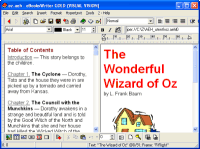
File Grabber File Grabber saves fields like dates, size, comments, etc. & format output.


Type: Demo
Price $ 19.95 /
Buy Now! Purchase File Grabber good discount price

Purchase - Get it Now

File size: 1064 Kb
Date: 01/29/2007
Homepage
Install support: Install and Uninstall
OS: WinNT 4.x, Windows2000, WinXP, Windows2003
System requirements:
Language: English

File Clipboard and Summary Information or free catalog and cheap shell extension or the half price

File Grabber 2.02
[Homepage] - by: CAVU Software - Download links for File Grabber

File Grabber saves fields like dates, size, comments, etc. & format output.
Click to enlarge


Description:
Use File Grabber to save any information about any file from anywhere in Windows Explorer into the clipboard formatted in any way you like. Never open a DOS window to execute a dir *.* > dir.lst command again. What's more, File Grabber allows you to save virtually any information about the files in any format you want!!

Because File Clipboard allows you to save not just the path and name but comments, title, author, subject etc. as well as dates and size, you can make meaningful catalogs of any kind of file!! Create catalogs of music and videos, disks, zip disks, CD's and DVD's.

Select Files
Select files by selecting a directory or volume in the tree view in Windows Explorer or by selecting the files in the list view window. If you select a directory the Directory File Selection Window allows you to enter the criteria to select files from that directory and, if you want, all subdirectories.

Select Fields and Information
After specify the files specify what information should be included for each file in the File Information Window. These include the Volume and Path; the file attributes and the Summary Information Fields such as comments, subject, page count etc.

Select Output Formats
From the Format Entries Window specify how the output format in the clipboard. You can specify the separator character to be placed between each field (default: space), a header record identifying the fields including for each file and whether to make the volume, path, filename and file extension separate fields.

File Grabber is part of the CAVU Software Productivity package, a set of utilities and shell extensions that expand your ability to manage the information on your computer. You will be able to install (and uninstall) all of the CAVU products. You can register or uninstall any of the programs.

Half-price as part of the CAVU Productivity Package!

Recent changes in this Minor Update:


Remarks - Comments (Add a remark about this program)


Search Get-Software:
Search the Web:
Google
 
Software Programmi Shareware Freeware Italiano Acquista Compra Scarica Download Freeware and shareware downloads; Purchase Buy Quality commercial software Freeware and shareware Games downloads; Purchase Buy Quality Best Fancy videogame download good free software, no crack warezprogrammi semplici download scarica
Search - All categories - Contact us, report problems - Software Houses, Authors - Questions / Info - Let us know about your software - Advertise here - Get Software HomePage

(C)2010 Get Software
 Download good software, freeware and shareware: MS Windows, Seven, Vista, Linux, Java, Pocket PC, Palm, OSX, Cell phone, buy Quality professional applications, solid commercial programsFile Grabber saves fields like dates, size, comments, etc. & format output. File Clipboard, Summary Information, catalog, shell extension, half-price

File Clipboard, Summary Information, catalog, shell extension, half-price File Grabber saves any information about files in any format into the clipboard. Save file path and name along with fields like dates, size, comments, title, etc. Create catalogs of music and videos; disks, zip disks, CD's and DVD's.